Additional resources for users of the Bible School Online platform
Participants of our Bible School Online platform have access to the “Theology Online” library. Please note: The library is currently only available in Russian.
The “Theology Online” Library is an inter-university online resource for evangelical theological education and church ministry. The library was created with a practical goal — to provide evangelical educational institutions with theological and academic literature necessary for theological education, spiritual formation, and church ministry. The resource is intended for students of theological schools belonging to TEAA (Theological Evangelical Association of Eurasia) and ICETE (International Council for Evangelical Theological Education).
The library’s collection includes more than 13,000 titles of academic and theological literature. The “Theology Online” Library is one of the largest collections of evangelical academic and theological literature in Russian and Ukrainian.
In the library you will find:
- electronic versions of textbooks and books on theoretical and practical theology, classics of Christian heritage, catechetical, liturgical, and spiritually edifying literature;
- study guides, lecture notes, courses and lessons, articles, dissertations, and other materials;
- dictionaries, reference books, encyclopedias, symphonies, anthologies;
- theological journals, Christian periodicals, including archived magazines and newspapers;
- educational multimedia materials (presentations, slides).
The theological resources of the “Theology Online” Library mainly reflect conservative evangelical theology but are not tied to any specific denominational affiliation.
How to log in to the library using your Bible School account
Step 1. Open the login page
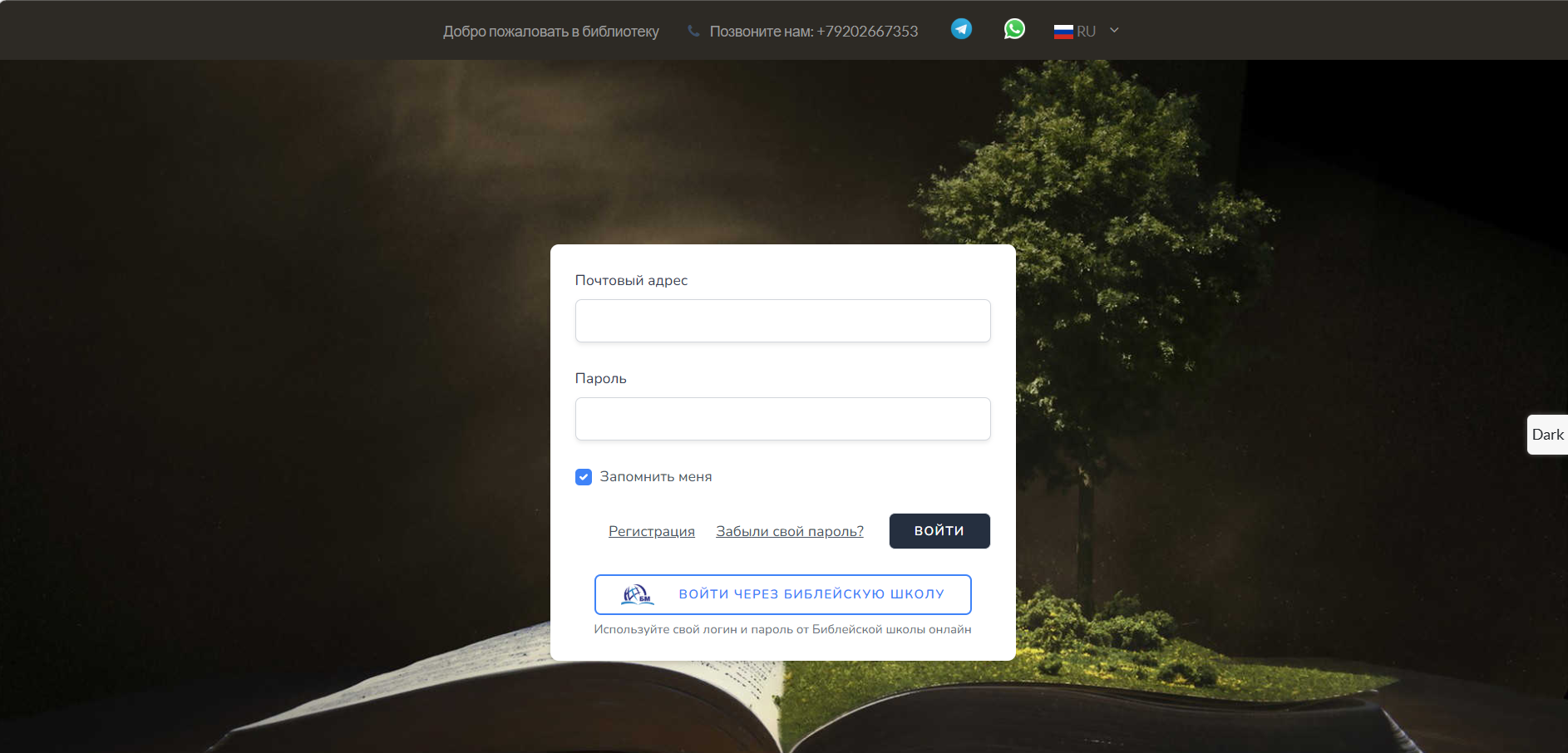
Go to the library website: theologybooks.ru.
You will see the standard login form.
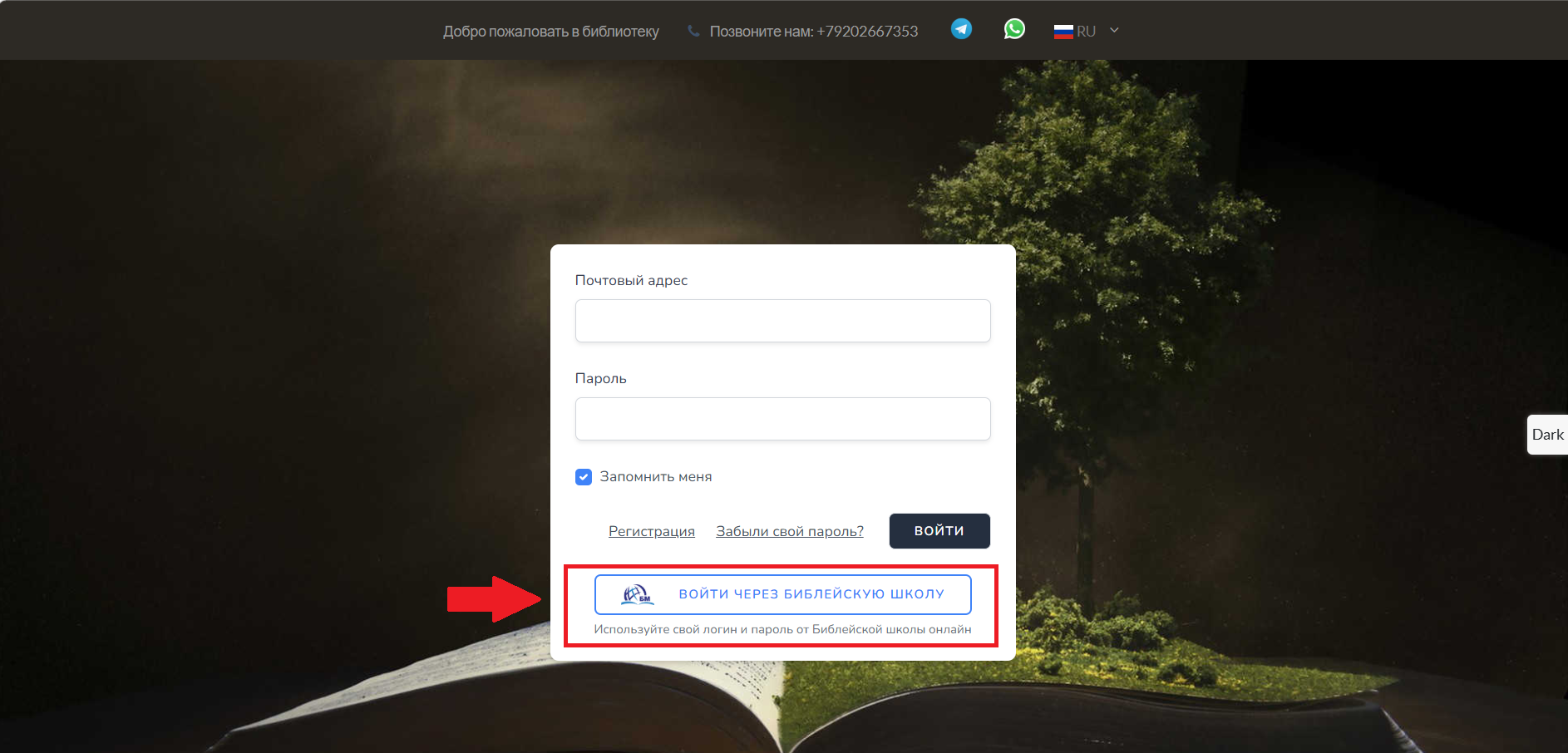
Step 2. Click the “Log in via Bible School” button
Below the main form there is a special button. Click it — a small login window will open.
Step 3. Enter your school credentials
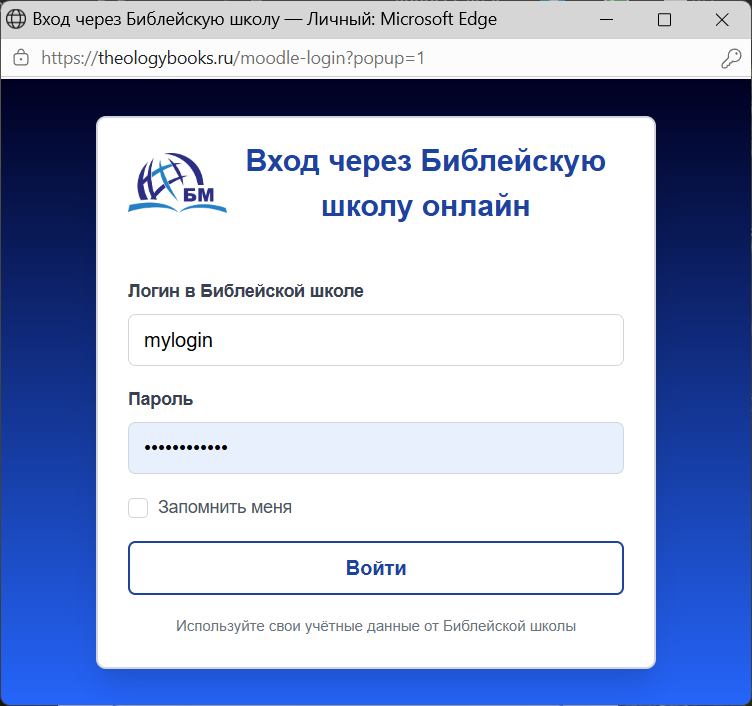
In the window that opens:
-
In the “Bible School Login” field, enter your usual login (the one you use to log into the school system).
-
In the “Password” field — your school password.
-
If desired, check the “Remember me” box to avoid entering your details every time you log in.
Step 4. Click “Log in”
After clicking the “Log in” button, the system will verify your details. This takes just a second.
Step 5. Done!
If the login and password are entered correctly:
-
The pop‑up window will automatically close.
-
The main library page will refresh, and you will immediately be in your account — already logged in.